Mobile PDF and Office viewer with local processing and tools
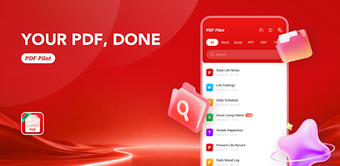
PDF Pilot - Reader Tools opens, converts, and edits documents on-device: view PDFs and Microsoft Office files, create PDFs from camera images, and merge or split documents. Suffron's Android utility processes documents locally and includes a lightweight file manager for search, rename, and share. Key capabilities include image-to-PDF conversion, multi-format viewing, and a background Read-Aloud text-to-speech engine. It fits students and office professionals who need an offline document workspace on mobile devices.
What the app handles and how it processes files
PDF Pilot acts as a multi-format document viewer and basic editor that opens PDFs plus Word, Excel, and PowerPoint files, and converts JPG/PNG images into PDFs. The app offers merge and split tools for combining or breaking up documents, and a local file manager that lists recent files for quick access. These functions run on the device rather than sending data to external servers, so document content stays on the phone or tablet.
Does it affect device resources during normal use?
The installer footprint is small, approximately 20 MB, and the tool is described as lightweight, which means it is designed for devices with limited storage. Background Read-Aloud playback works while the app is minimised or the screen is locked, showing the app can maintain tasks without occupying the foreground. The published detail about small size implies the app targets low resource impact during everyday reading and conversion tasks.
Is it safe to use with sensitive or private documents?
The app performs all document processing locally on the device, with explicit 100 percent offline processing noted for conversion, merge, and split operations. That local-only workflow reduces the risk of uploading sensitive files to a remote server. The privacy claim is a functional design choice: no cloud dependency for core tools, which aligns with a use case where keeping documents on-device is required.
Do non-technical users need advanced skills to operate it?
The interface is described as clean and includes a recent files list plus standard file actions such as search, rename, delete, and share, which supports straightforward navigation for typical mobile users. Camera-to-PDF and one-tap merge or split tools indicate common tasks are exposed as discrete actions, making the app accessible for students and office professionals without specialist setup or complex configuration.
Practical reliability for offline document handling
The app offers a clear, device-first approach to mobile document work: local processing and a small installation make it suitable for users who must keep files on their phone or tablet. Adoption is modest, with around 1,500 installs and limited public ratings, so expect a concise, privacy-focused feature set rather than a large ecosystem. Recommended.